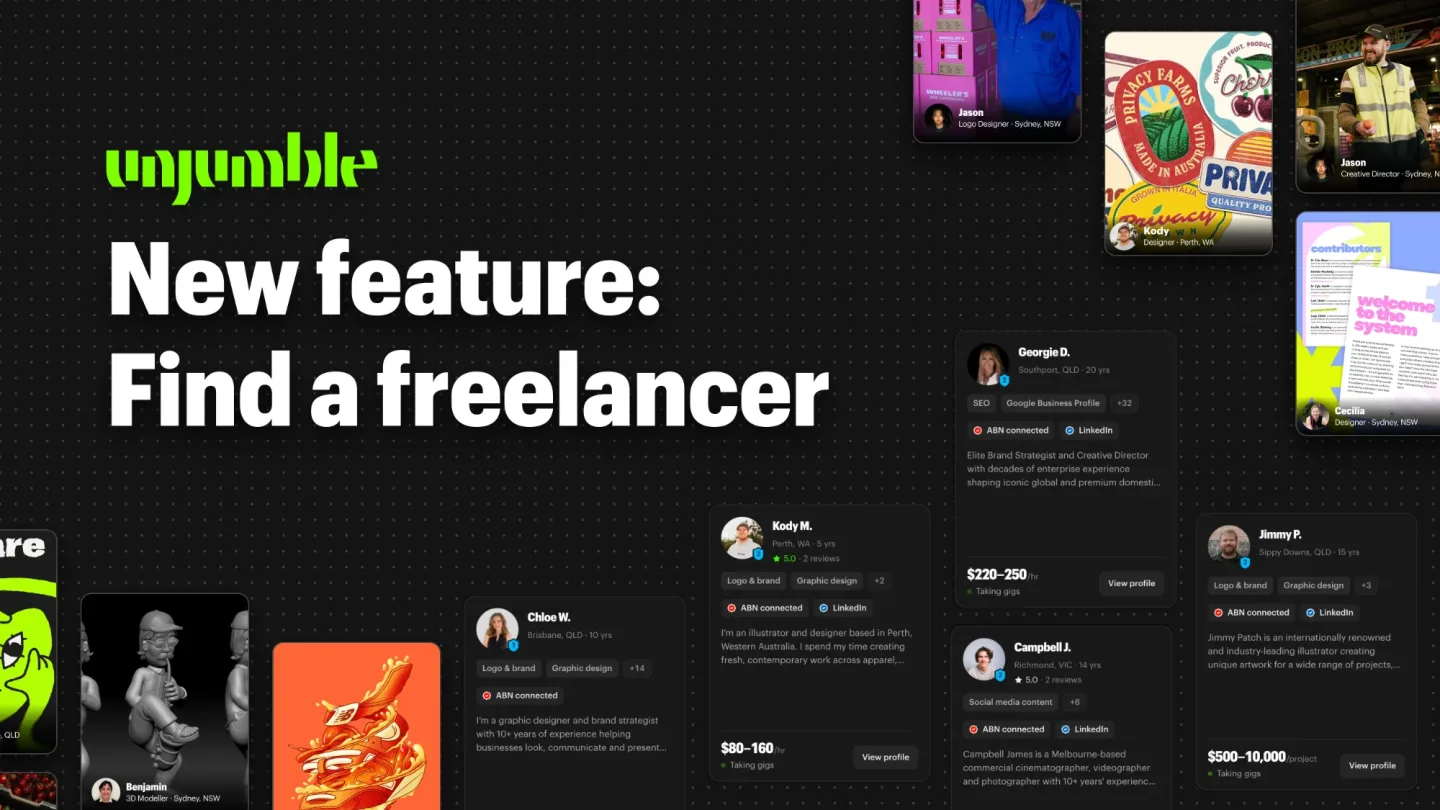
Until now, nearly every piece of work on Unjumble started with a gig. A business posts it, freelancers pop in a bid, and the business picks the one that fits. That still works, and it’s still the best way to get a spread of quotes.
But we’ve had a lot of requests for one-to-one quoting. Businesses who already know exactly what they need, and freelancers who’d rather be found than bid. So we’ve opened up how the two can work together.
Say hello to Find a freelancer.
How it works
- Search. Type what you need, or filter by location, category and availability. Graphic designers in Queensland, an SEO specialist who's taking gigs, a videographer down the road.
- Have a look. Open a profile to see their work, their reviews, their rate and who backs them.
- Ask for a quote. Hit Chat now and your enquiry lands straight in their chat. From there it runs like any gig on Unjumble: stages, a payment schedule held securely with Stripe, and everything in one workspace.
Search across 170+ services
Whatever the job, there’s a local freelancer for it. Here’s what you can search, across nine categories:
- Graphic design & creative: logos and branding, packaging, illustration and more
- Website & app: web design, UI/UX, prototyping and more
- Development: websites, apps, integrations and more
- Advertising: Meta Ads, Google Ads, TikTok ads and more
- Search & analytics: SEO, Google Business Profile, analytics and more
- Social media: management, content, community and more
- Content: product photography, videography, copywriting and more
- Marketing & digital consulting: strategy, email and CRM, PR and more
- AI: AI consulting, workflow automation, chatbots and more
What you see on every card
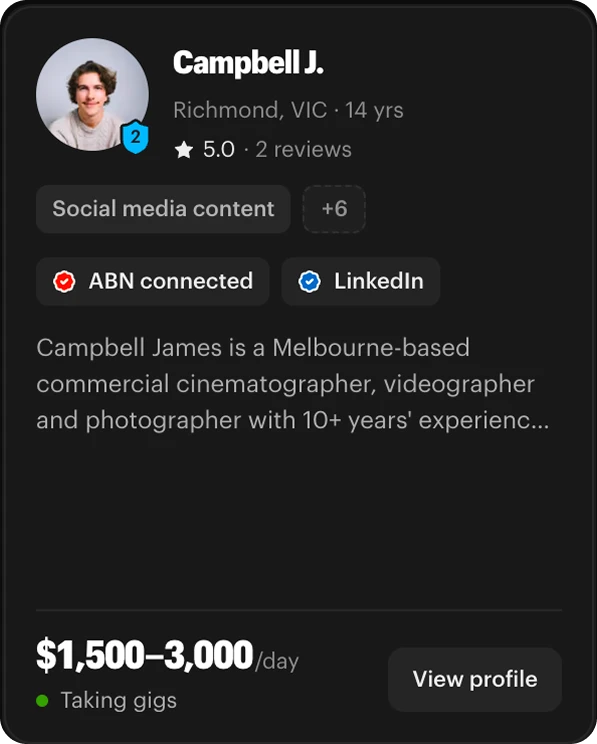
Every freelancer shows up in search as a card, so you can size people up at a glance:
- Their name, suburb and years of experience
- Their verification level, the blue shield: one point each for ABN, Australian mobile and LinkedIn
- Their star rating and how many reviews they've got
- Their skills, plus ABN connected and LinkedIn badges
- The opening lines of their bio
- Their rate, and whether they're taking gigs right now
Build your roster
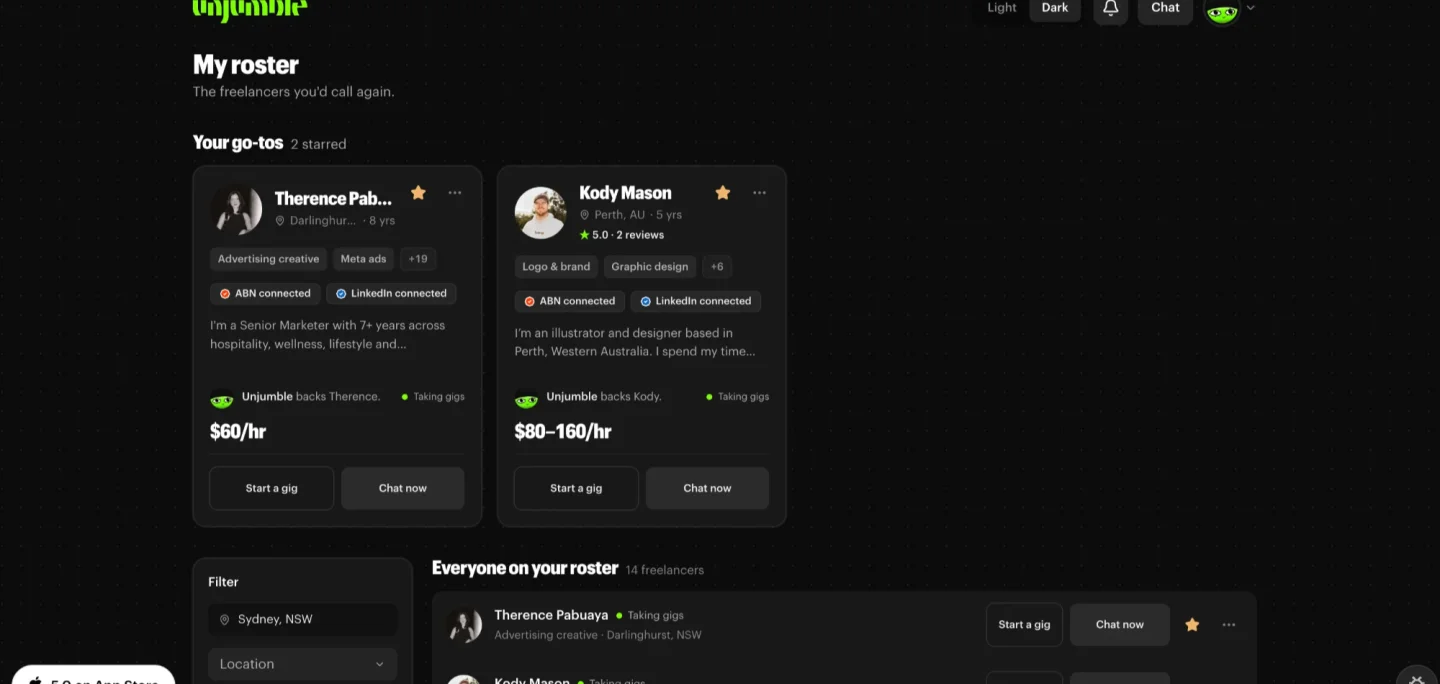
Found someone good, but don’t need their help yet? Save them to your roster: click the save icon in the top right corner of their profile card.
Your roster is your own shortlist of freelancers you’d call again: the designer, the videographer, the one who sorts your socials. Star your go-tos and they sit up top, a tap away from a new gig or a chat. A mini agency in your pocket, minus the agency price tag.
Freelancers: how to show up near the top
Businesses see the freelancers who look ready to work with, so the order isn’t random. A complete, trusted profile sits near the top. Two things keep you out of search altogether: no ABN connected, or a bare profile.
To rank higher:
- Connect your ABN. It's what gets you into search at all.
- Connect LinkedIn. It shows businesses there's a real person with a real work history behind the profile.
- Fill out your profile. A proper description, a few portfolio items and a hero showreel up top. Let the work do the talking.
- Request reviews. Whilst Unjumble verified reviews from gigs done here count the most, outside reviews from past clients count too.
Outside reviews get you started
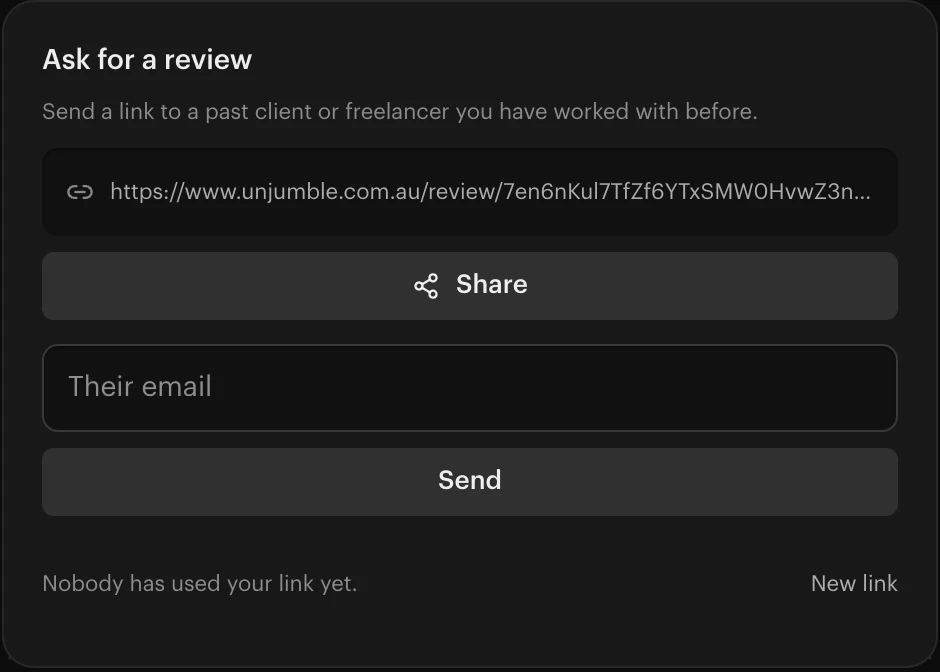
New to Unjumble? You don’t have to start from zero. Freelancers are already using outside reviews to climb the list. Scroll down on your Unjumble home and you’ll find your review link. Send it to a past client, they leave their stars and a line or two, and it’s on your profile straight away.
Have a play
Find a freelancer is the first version, and like everything else on Unjumble it’ll get better the more you use it and tell us what’s missing. Search for someone you need this week, or get your profile ready to be found.
Keep the feedback coming, on Instagram, LinkedIn or straight to us in the app.
Cheers,
Zac from Unjumble